> ## Documentation Index
> Fetch the complete documentation index at: https://lindyai-docs-email-alerts-update.mintlify.site/llms.txt
> Use this file to discover all available pages before exploring further.
# Report Generator
> Generate automated reports and analytics with Lindy
## Quick Overview
With this flow, your agent will:
* **Collect** all support emails from the past 24 h
* **Summarize** counts, response speed, and the top recurring topics
* **Quote** two or three customer lines for color ("it keeps timing out…")
* **Suggest** one focus area for tomorrow
* **Post** the digest straight to Slack—no spreadsheets, no code
Start from the [daily report generator template](https://chat.lindy.ai/home/?templateId=6875b7cd33d0972fe430f059) and customize.
## Building the Flow
### Step 1: Daily Trigger
Set up a recurring schedule to automatically generate reports at the same time each day for consistency.
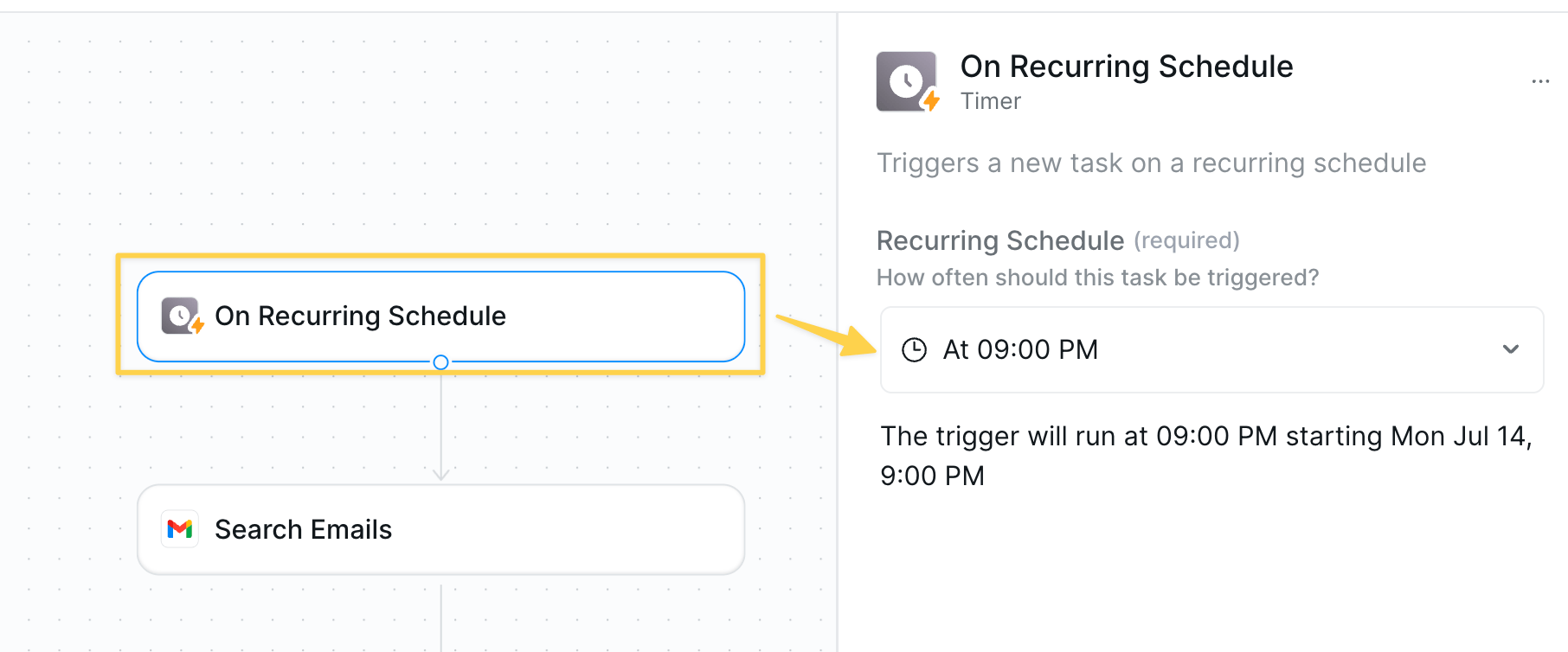 * Action: `On Recurring Schedule` → 9pm daily.
### Step 2: Pull Today's Support Emails
Collect all support communications from the past 24 hours to analyze recent customer interactions.
* Action: `On Recurring Schedule` → 9pm daily.
### Step 2: Pull Today's Support Emails
Collect all support communications from the past 24 hours to analyze recent customer interactions.
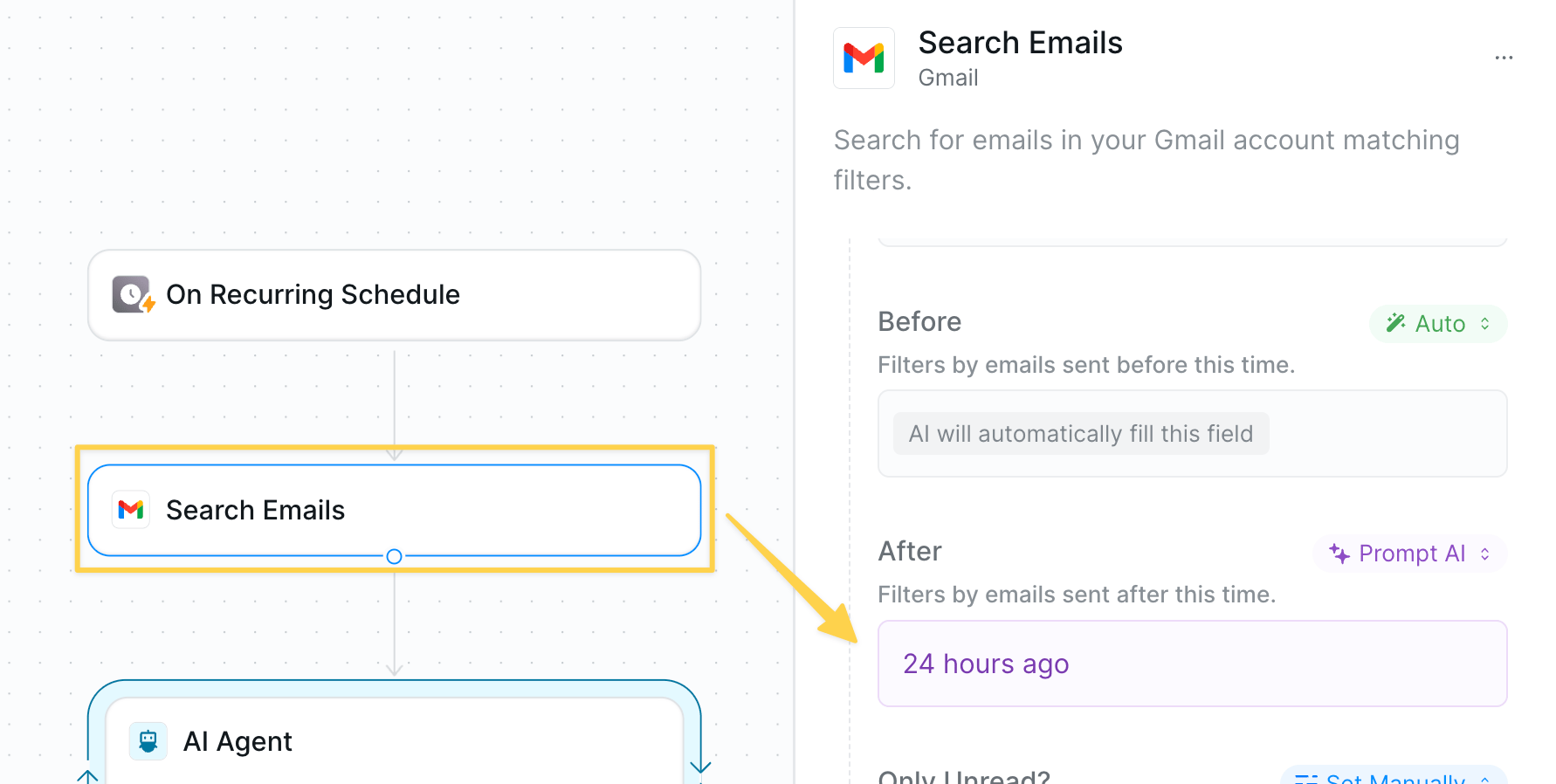 * Action: `Gmail – Search Emails` with query filter for sent within the past 24 hours
* Make sure to increase `Max Results` to a higher number limit to fetch all tickets
* Optionally use other actions that align with your ticket management system
### Step 3: Summarize with AI
Process the collected emails to extract meaningful insights and patterns about customer experience.
* Action: `Gmail – Search Emails` with query filter for sent within the past 24 hours
* Make sure to increase `Max Results` to a higher number limit to fetch all tickets
* Optionally use other actions that align with your ticket management system
### Step 3: Summarize with AI
Process the collected emails to extract meaningful insights and patterns about customer experience.
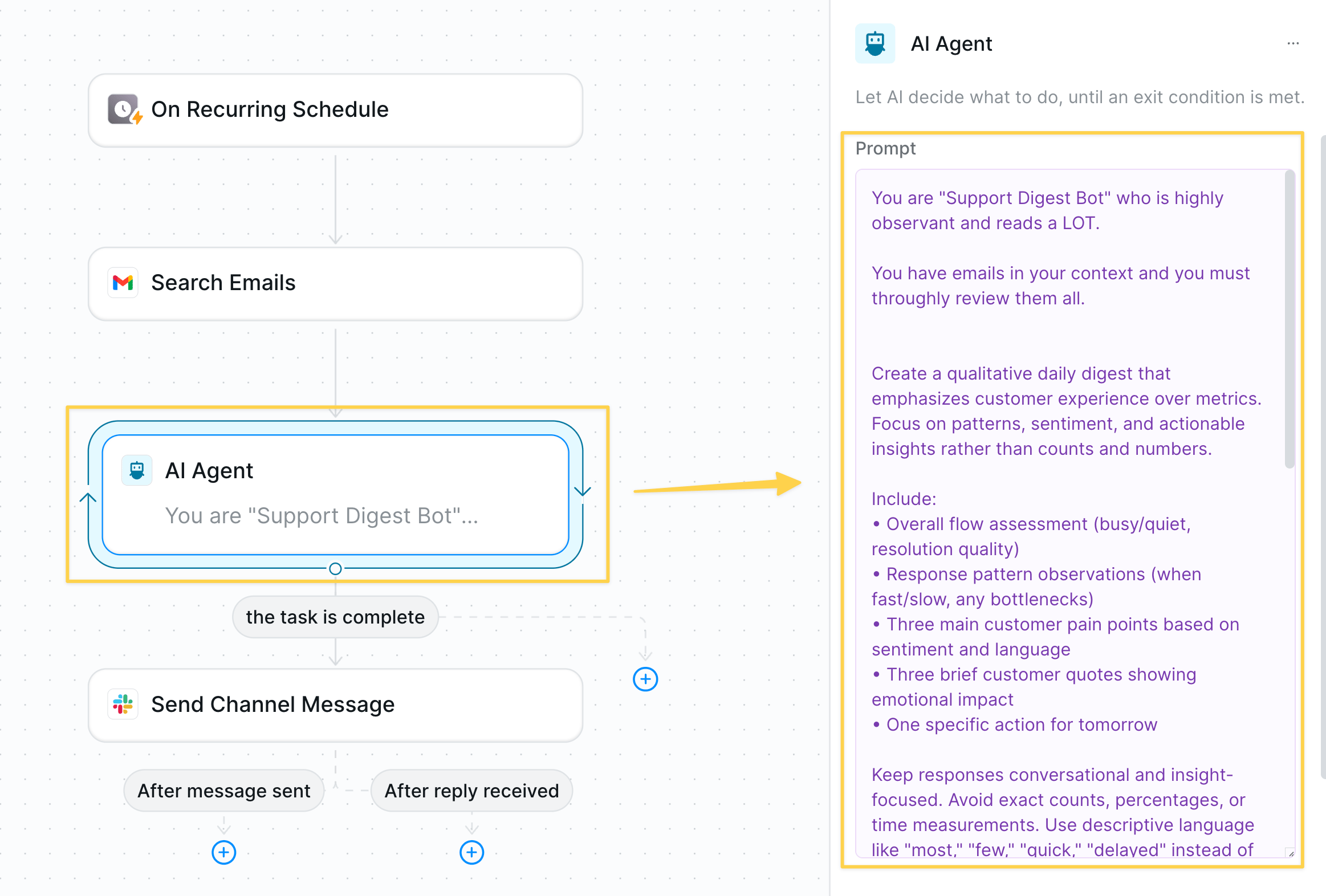 * We use an `AI Agent` since it will perform higher levels of reasoning. Example prompt:
```
You are "Support Digest Bot" who is highly observant and reads a LOT.
You have emails in your context and you must throughly review them all.
Create a qualitative daily digest that emphasizes customer experience over metrics. Focus on patterns, sentiment, and actionable insights rather than counts and numbers.
Include:
• Overall flow assessment (busy/quiet, resolution quality)
• Response pattern observations (when fast/slow, any bottlenecks)
• Three main customer pain points based on sentiment and language
• Three brief customer quotes showing emotional impact
• One specific action for tomorrow
Keep responses conversational and insight-focused. Avoid exact counts, percentages, or time measurements. Use descriptive language like "most," "few," "quick," "delayed" instead of numbers.
Format as a brief, scannable digest with clear sections and emphasis on what matters most to the customer experience.
Create a qualitative daily digest that emphasizes customer experience over metrics. Focus on patterns, sentiment, and actionable insights rather than counts and numbers.
Include:
• Overall flow assessment (busy/quiet, resolution quality)
• Response pattern observations (when fast/slow, any bottlenecks)
• Three main customer pain points based on sentiment and language
• Three brief customer quotes showing emotional impact (anonymize names)
• One specific action for tomorrow
Keep responses conversational and insight-focused. Avoid exact counts, percentages, or time measurements. Use descriptive language like "most," "few," "quick," "delayed" instead of numbers.
Format as a brief, scannable digest with clear sections and emphasis on what matters most to the customer experience.
Your task is complete when you are done writing.
```
### Step 4: Post to Slack
Share the daily digest with your team to keep everyone informed about customer support trends.
* We use an `AI Agent` since it will perform higher levels of reasoning. Example prompt:
```
You are "Support Digest Bot" who is highly observant and reads a LOT.
You have emails in your context and you must throughly review them all.
Create a qualitative daily digest that emphasizes customer experience over metrics. Focus on patterns, sentiment, and actionable insights rather than counts and numbers.
Include:
• Overall flow assessment (busy/quiet, resolution quality)
• Response pattern observations (when fast/slow, any bottlenecks)
• Three main customer pain points based on sentiment and language
• Three brief customer quotes showing emotional impact
• One specific action for tomorrow
Keep responses conversational and insight-focused. Avoid exact counts, percentages, or time measurements. Use descriptive language like "most," "few," "quick," "delayed" instead of numbers.
Format as a brief, scannable digest with clear sections and emphasis on what matters most to the customer experience.
Create a qualitative daily digest that emphasizes customer experience over metrics. Focus on patterns, sentiment, and actionable insights rather than counts and numbers.
Include:
• Overall flow assessment (busy/quiet, resolution quality)
• Response pattern observations (when fast/slow, any bottlenecks)
• Three main customer pain points based on sentiment and language
• Three brief customer quotes showing emotional impact (anonymize names)
• One specific action for tomorrow
Keep responses conversational and insight-focused. Avoid exact counts, percentages, or time measurements. Use descriptive language like "most," "few," "quick," "delayed" instead of numbers.
Format as a brief, scannable digest with clear sections and emphasis on what matters most to the customer experience.
Your task is complete when you are done writing.
```
### Step 4: Post to Slack
Share the daily digest with your team to keep everyone informed about customer support trends.
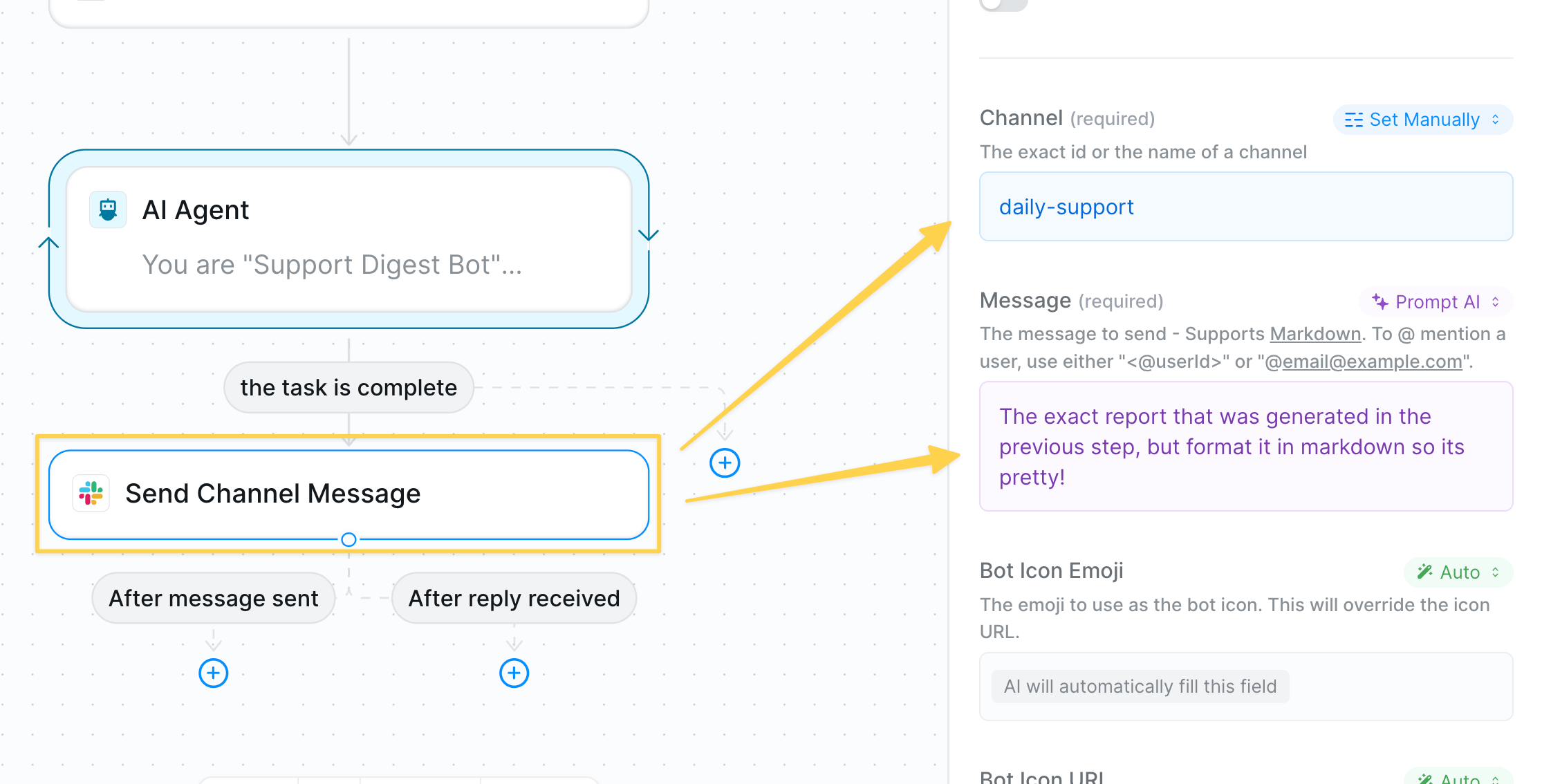 * Action: `Slack – Send Channel Message`
* Example channel: `#support-daily`
* Message body: formatted output from the AI Agent
### Step 5: Advanced Analysis (Optional)
Enhance the reporting with structured data analysis for quantitative insights.
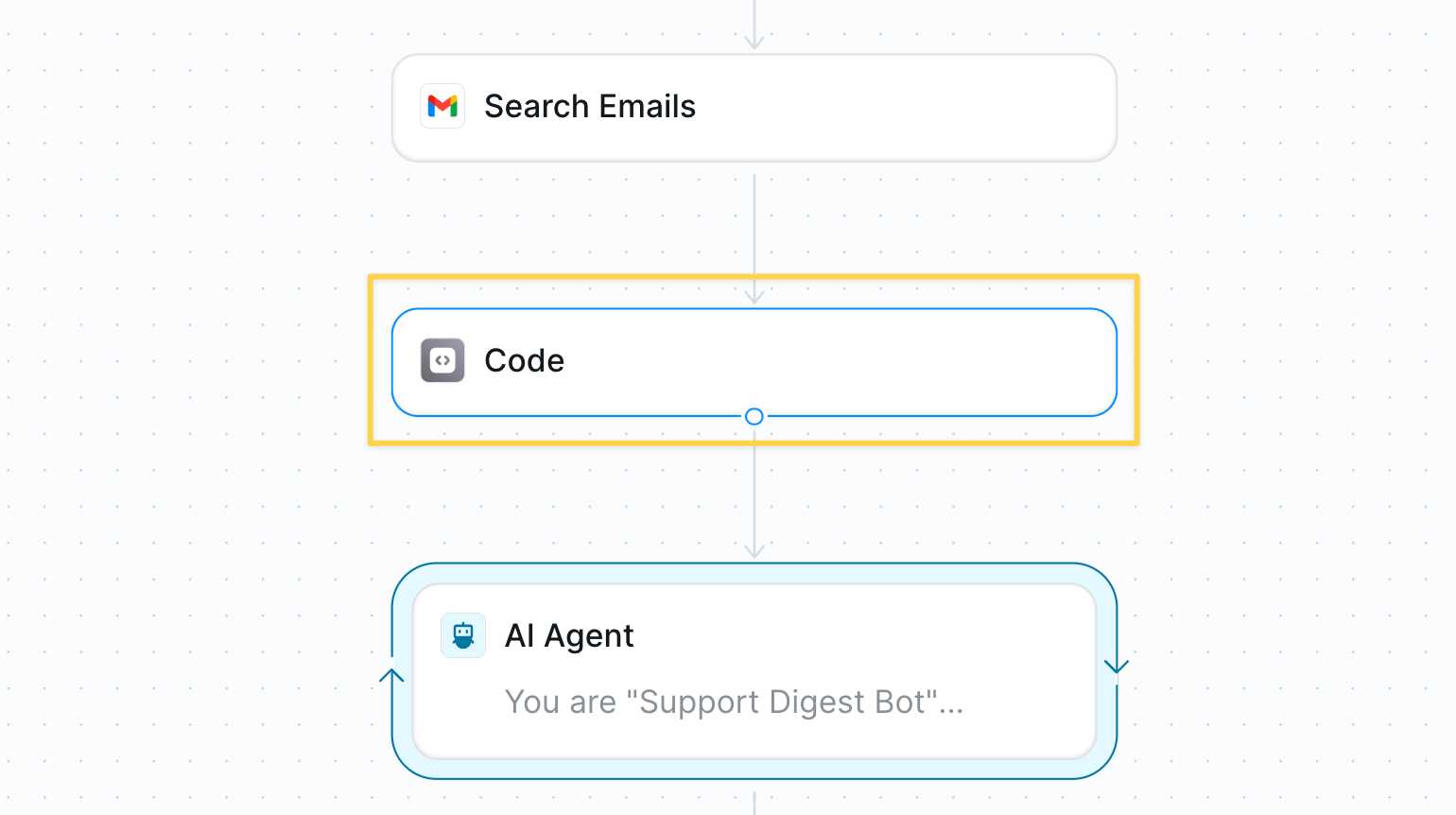
Before qualitatively analyzing with AI, you can optionally use a `Run Code – Python` block to parse the structured output and calculate key metrics if your support system has tags or structured data.
* Action: `Slack – Send Channel Message`
* Example channel: `#support-daily`
* Message body: formatted output from the AI Agent
### Step 5: Advanced Analysis (Optional)
Enhance the reporting with structured data analysis for quantitative insights.
Before qualitatively analyzing with AI, you can optionally use a `Run Code – Python` block to parse the structured output and calculate key metrics if your support system has tags or structured data.
 ## Best Practices
Clean tagging = better top-issue detection; revisit macros monthly.
Aim for one Slack post that is digestible for the team.
Actively read the digests andi iterate on the AI agent prompts.
## Next Steps
Auto-reply to common support questions
Handle support calls 24/7
Track agent performance metrics
Create reusable report templates
## Best Practices
Clean tagging = better top-issue detection; revisit macros monthly.
Aim for one Slack post that is digestible for the team.
Actively read the digests andi iterate on the AI agent prompts.
## Next Steps
Auto-reply to common support questions
Handle support calls 24/7
Track agent performance metrics
Create reusable report templates